
Blog · Creation Guides
Vidu Q3 Reference-to-Video Complete Guide: Lock Character, Product, and Scene Consistency
If you are searching for Vidu reference to video, Vidu Q3 Reference to Video, or AI video character consistency, you have probably hit the same walls: face swaps on shot two, SKU packaging drift, brand IP that is “almost right.” Pure text-to-video or single-still image-to-video can look great for one take—and still fail industrial multi-shot delivery.
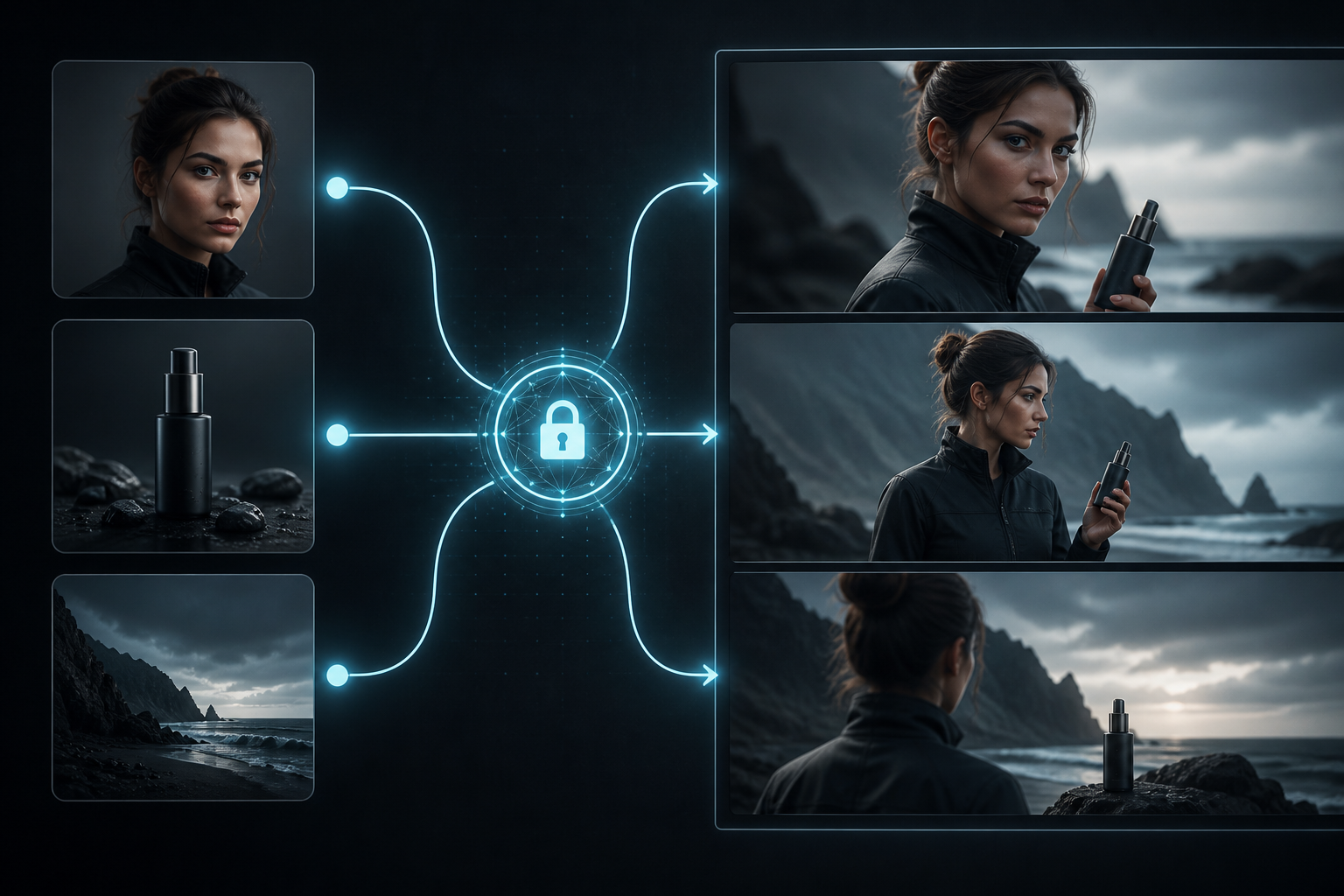
Vidu Q3 reference-to-video is built for controllable consistency: hand character, product, and scene anchors to reference images (or video), then generate up to 16 seconds of native audio-synced video in the Vidu AI video generator. It does not replace image-to-video—it moves creation from reroll luck to reusable subjects.
This guide covers when to choose reference-to-video, how to prep assets, how to write prompts, three templates for short drama / e-com / brand, and a practical QA list—so Vidu Q3 reference-to-video becomes your default production line. For parameter-level setup, see Configure Vidu Q3 Reference-to-Video.
01. Why consistency decides whether Vidu projects scale
In AI video, “one pretty shot” is not enough. Rework burns the budget: identity drift kills takes, pack mismatch fails ads, scene jumps break continuity.
Three must-haves reference-to-video solves
- Character consistency: comics, virtual talent, short-drama series—next episode must be the same face.
- Product consistency: e-com and brand ads—logo, proportions, materials cannot float.
- Scene/style consistency: series need a stable space or look, not a new world every cut.
How it splits work with text- and image-to-video
| Mode | Best for | Consistency | Typical use |
|---|---|---|---|
| Text-to-video | Brainstorm boards with no assets | Medium | Explore look, then build a ref library |
| Image-to-video | Single-still motion, fast social | Medium-low | Product spin, character micro-motion |
| Reference-to-video | Series, brand, multi-shot delivery | High | Lock subjects, then batch beats |
Mode overview: Vidu AI Video Generator 2026 Complete Guide. Still on single stills? Read Vidu Q3 Image-to-Video Complete Guide, then graduate to reference-to-video.
02. Reference asset rules: people, products, scenes
The ceiling of Vidu reference-to-video is largely set by reference quality. No model invents a stable identity from mushy pixels.
Character refs
- Front or 3/4, readable face, clean hair and costume silhouette.
- Avoid heavy beauty filters that erase identity; avoid crowded extras in one frame.
- For series, build a “character card”: hero face + key costume, consistent filenames.
Product refs
- Readable pack hero, logos without blown speculars or heavy occlusion.
- For multi-angle demos, prep 2–3 shots of the same SKU under similar light—not competitor packs.
- Unboxing can pair with start–end (start–end workflow), but appearance should still lock via reference-to-video.
Scene and style refs
- Scene plates need clear perspective and key light for multi-shot reuse.
- Style refs lock grade and material language—do not make one image fight two jobs.
Pre-upload checklist
- Long edge near 1080p;
- Subject large enough, not edge-cropped;
- Readable light direction;
- No prompt conflicts (red coat in ref, blue coat in text).
03. Reference prompts: what stays locked, what may move
In Vidu Q3 reference-to-video, prompts should not redraw appearance. They are director notes: what must stay, what changes across 16 seconds.
Recommended structure: lock–action–camera–sound
- Lock: keep reference character/product/scene. Example: “Keep reference face, hair, and red coat; keep pack shape and logo placement.”
- Action: time-ordered. Example: “0–5s character enters light; 5–11s lifts product to camera; 11–16s smiles and nods.”
- Camera: shot size and moves. Example: “Medium follow into facial close-up, slow push, shallow DOF.”
- Sound: dialogue, ambience, SFX. Example: “Soft store room tone; one product line; light set-down click.”
For fuller five-part writing, see Vidu Q3 Prompt Writing Complete Guide—in reference mode, replace the appearance block with a lock block.
Common failure patterns
- Appearance/pack rewrites that fight the refs;
- Mood adjectives with no second-by-second action;
- Violent morphs, explosions, teleports that smash consistency;
- Multiple subjects moving hard with no priority.
04. Three templates: short-drama character, e-com product, brand scene
Rewrite these for Vidu AI video generator reference-to-video. Plan for 16-second native A/V to use Vidu Q3 sync strengths.
Template A: Short drama / comic series character
Keep reference face, hair, and costume identical. 0–4s character opens a door into a medium interior; 4–10s confrontational dialogue, calm to urgent; 10–16s silence then exit. Camera: medium follow → facial close-up → back medium. Sound: door hinge, clear dialogue, low interior bed.
QA focus: face swap, melting hands, lip sync. Series thinking: AI Short Drama Guide.
Template B: E-commerce product demo
Keep product shape, color, logo, and materials. 0–5s slow side spin; 5–11s push into pack texture and key info; 11–16s return to medium hold. Camera: medium → close-up → medium. Sound: studio ambience, soft friction, settle sting; optional short VO.
QA focus: logo drift, bottle proportion warp, clean background.
Template C: Brand scene + character together
Keep reference character and scene look and lighting. 0–6s character walks from depth toward camera; 6–12s pauses at signature set dressing with product; 12–16s nod and smile. Slow push, cinematic contrast. Ambience plus a short brand line in sync.
QA focus: person and plate feel like one world; product does not collapse mid-motion. For cinematic one-offs vs consistency spines, see Vidu vs Runway vs Kling—keep the consistency spine on Vidu Q3 reference-to-video.
05. QA checklist and iteration: from rerolls to a pipeline
Four-axis QA (every take)
- Subject consistency: face / pack / scene cues vs refs;
- Natural motion: no melt, clip, edge tear;
- A/V sync: peaks land on SFX/dialogue (16-second one-shot);
- Narrative completeness: setup–turn–resolve in 16s, not idle spinning.
Iteration order (save credits)
- Fix references first (sharper, stabler features);
- Then lock lines and timelines (less violent motion);
- If still unstable, fewer subjects per shot or split beats then edit;
- Park micro-motion on image-to-video temporarily; return reference-to-video for primary delivery.
Team asset bank
Store winning “ref card + prompt template + QA stills.” That beats rewriting from zero and raises Vidu reference-to-video hit rate. Pipeline view: From Clips to Finished Video.
Closing
Vidu Q3 reference-to-video turns characters, products, and scenes from reroll variables into reusable assets, and 16-second native audio-video folds dialogue and ambience into one generate. With asset rules and lock–action–camera–sound prompts, series and brand delivery inside the Vidu AI video generator get far more stable.
Path: build one character or product card → run template A/B for a first 16s → pass four-axis QA → bank the prompt. Capability context: Artificial Analysis deep dive; setup detail: reference-to-video tutorial.
Upload your first reference set and experience how Vidu Q3 reference-to-video makes consistency the default.