
Blog · Creation Guides
Vidu Q3 Pro / Turbo / Pro Fast: How to Choose — Quality, Speed & Credit Comparison
If you are searching for Vidu Q3 Pro, Vidu Turbo, Vidu Pro Fast, or which Vidu Q3 is best, the blocker is rarely “Can I write prompts?”—it is usually: three tiers sit side by side in the studio; which click wastes fewer credits?
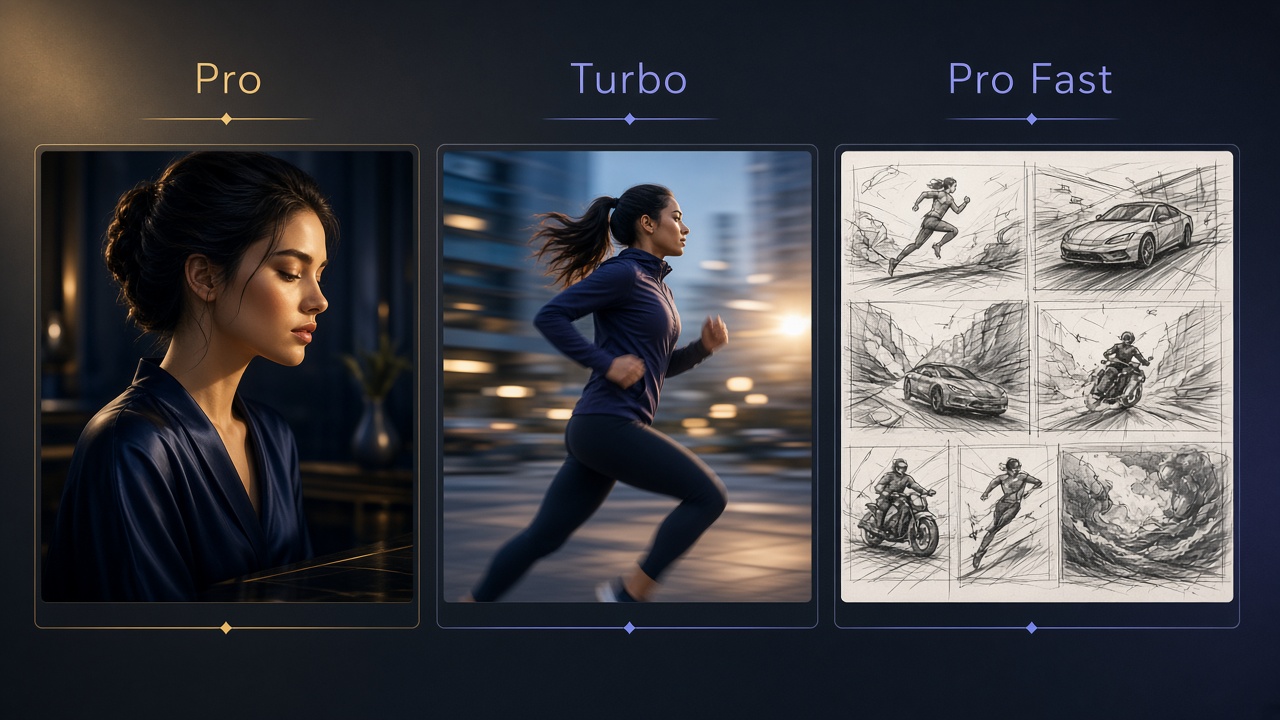
On this site’s Vidu AI video generator, Vidu Q3 capabilities often appear as separate product cards—for example viduq3-pro, viduq3-turbo, and viduq3-pro-fast. They share the same text-to-video / image-to-video / reference-to-video workflow language, but they are not equal on visual ceiling, turnaround pace, and credit pressure. Pick the wrong tier and you either wait a few extra minutes—or burn the same prompt repeatedly and still miss ad-ready standards.
This article gives a quality · speed · credit comparison table you can paste into team docs, plus default picks for e-commerce, seeding, idea testing, and finished delivery. For mode differences, start with Vidu AI Video Generator 2026 Complete Guide; for prompt craft, see Vidu Q3 Prompt Writing Complete Guide.
01. Separate mode tabs from version tiers
Many newcomers mix “text-to-video / image-to-video” with “Pro / Turbo / Pro Fast.” The cleaner hierarchy is:
- Workflow (mode): text-to-video, image-to-video, reference-to-video, etc.—whether you feed text or images, and whether you need reference consistency.
- Version tier: Pro, Turbo, Pro Fast—under the same workflow, whether this run favors finished quality or iteration speed.
So the right question is not “Can Pro do image-to-video?” but: Given image-to-video is already chosen, which tier is the best value this time? For e-commerce still-life pipelines, see Make E-commerce Product Videos with Vidu; for character consistency, see Vidu Q3 Reference-to-Video Complete Guide.
One-line positioning for the three tiers
| Tier | One-line position | Closest team stage |
|---|---|---|
| Vidu Q3 Pro | Finish-first: higher detail, edges, and visual ceiling | Finals / ad assets / pre-brand review |
| Vidu Q3 Turbo | Balanced default: everyday throughput and look | Daily posts, batch tests, routine delivery |
| Vidu Q3 Pro Fast | Speed-first: quickly validate framing and motion | Storyboard checks, prompt trials, internal review |
02. Quality · speed · credit comparison (selection core)
The table below is for relative comparison—it does not replace live studio quotes. Credits on this site follow /v1/pricing/quote estimates and the cost_points returned when a task is created—resolution, duration, and whether audio is generated all change per-run cost.
| Dimension | Pro | Turbo | Pro Fast |
|---|---|---|---|
| Quality & detail stability | Highest priority: materials, edges, micro-motion steadier | Mid–high: enough for most social and e-commerce daily posts | Good enough: check big framing and whether motion holds |
| Turnaround / queue feel | Relatively slower | Middle | Usually fastest |
| Credit pressure (relative) | Usually highest | Medium | Usually better for high-frequency trials |
| Best prompt stage | Prompts converged, assets qualified | Half-converged: direction right, still fine-tuning | Open exploration: try many versions in parallel |
| Ad readiness | Closest to “ready for a live plan” | Most slots shippable; strict brands can still step up to Pro | Validate, then upgrade before formal ads |
| Re-run strategy after failure | Fix prompt/assets before re-running—avoid blind spam | Small-step iteration OK | Freely swap shots and pacing |
Three disciplines when reading the table
- Do not replace quotes with “feels expensive”: under the same tier, 16 seconds + 1080p + audio on is often far costlier than a 5-second preview.
- Set acceptance criteria before picking a tier: if acceptance is only “is the motion right?”, Pro Fast is enough; if acceptance is “Logo edges cannot soften,” budget for Pro from the start.
- Tiers cannot rescue bad assets: blurry frames, cluttered backgrounds, or tiny subjects on Pro just make the failure clearer.
03. Default tiers by delivery scenario (ready to run)
Scenario A: E-commerce main image / PDP motion
- Drafts: Turbo (or Pro Fast if you only need to verify rotation direction)
- Finals: Prefer Pro (packaging, bottle shape, and Logo tolerance are strict)
- Note: A single-subject white-background shot plus clear “keep packaging” language beats blindly upgrading tiers; full flow is in the e-commerce guide.
Scenario B: Douyin / Xiaohongshu / Reels daily seeding
- Default: Turbo—best balance of throughput and look
- Hit polish: same prompt, step up to Pro for 1–2 high-budget versions
- Topic-pool probes: Pro Fast in parallel for several 5–8 second short checks
Scenario C: Short drama / comic drama / IP serial screen tests
- Performance and camera-language trials: Pro Fast / Turbo
- Publishable shots after look/lock: Pro; use reference-to-video to lock characters when needed
- Serial consistency methods appear in the short-drama and reference-to-video guides.
Scenario D: Brand ads and client pitches
- Internal mood first: Turbo
- Pitch and finished film: Pro; plan audio and 16-second narrative needs inside the prompt
- Background on A/V sync: Vidu Q3: Beyond the Silent Video Era.
Scenario E: Pure prompt learning / classroom demos
Prefer Pro Fast: spend budget on “try more structures,” not one finished take.
04. Recommended workflow: Fast trials → Turbo direction lock → Pro finish
Treat the three tiers as a pipeline, not mutually exclusive beliefs:
- Pro Fast (1–3 runs): Confirm the subject moves correctly, the camera is not too shaky, and the selling-point timeline is readable.
- Turbo (1–2 runs): Lock a usable version; check edges, exposure, and audio for “social-ready.”
- Pro (mainly 1 run): Only chase finals after prompts and assets are stable—do not brainstorm on Pro.
Iteration order (saves more credits than “generate again”)
- Fix assets first (sharpness, crop, single subject)
- Then fix prompt structure (keep → motion → camera → sound)
- Then fix parameters (duration, resolution, audio on/off)
- Only then upgrade to Pro
This order matters especially for Vidu Q3 Pro users: upgrading should reward a converged prompt, not punish bad luck.
05. Studio practice checklist
When choosing Vidu Q3 products in this site’s studio, run through this before every submit:
- Workflow is correct (text / image / reference) before picking Pro / Turbo / Pro Fast
- Estimated credits refreshed; after create, trust returned points—no verbal guesses
- Trial stage is not defaulting to max duration + max quality + audio all on
- Image-to-video includes constraints like “keep product appearance and Logo unchanged”
- Same prompt has two mental budgets: “Fast validation” and “Pro finished”
- On failure, read the error type first (channel busy vs unsupported params), then decide tier vs parameter change
If a channel busy state makes one tier temporarily unavailable, briefly switch to Turbo / Pro Fast to keep progress, then re-run finals on Pro later—do not treat “one tier 503” as “Vidu AI is down.”
06. Common misconceptions
- Pro for everything: highest trial cost; teams most often “burn credits and still have no reusable template.”
- Pro Fast straight into brand ads: speed-friendly, but strict review scenes often rework—total calendar time may not shrink.
- Using tiers to compensate for bad prompts: all three eat the same structure; vague prompts fail on Fast and Pro at different costs.
- Ignoring the audio toggle: native A/V is strong, but not every screen test needs it on; blind-listen first, then go full audio to save.
- Cross-product absolute score comparisons: this article compares tiers inside the Vidu Q3 family; for Runway / Kling picks, see Vidu vs Runway vs Kling.
07. Closing: treat tiers as capacity tools, not identity labels
Vidu Q3 Pro, Vidu Q3 Turbo, and Vidu Q3 Pro Fast have no single “only right answer.” The right habit is: buy information with Fast, buy cadence with Turbo, buy delivery certainty with Pro. Once you can reliably walk validate → lock direction → finish, credits on the Vidu AI studio last longer—and first-pass rates on ad assets go up.
Open this site’s studio now: run the same prompt once on Turbo and once on Pro Fast, compare whether motion holds; when it does, output the formal finish with Vidu Q3 Pro.