
Blog · Creation Guides
Douyin / Xiaohongshu / Reels: Vidu AI Vertical Short Video Prompts & Publish Templates
If you are searching for Vidu short video, AI Douyin video, Vidu Xiaohongshu, or making Reels with Vidu, what usually blocks you is not “knowing where to click Generate”—it is: how to leave vertical safe zones, how to write the first-three-second hook, and how one prompt can serve both Douyin and Instagram Reels?
Vidu AI / Vidu Q3 fits this pipeline: in this site’s Vidu AI video generator, use text-to-video or image-to-video to produce vertical motion shots, and optionally use up to 16 seconds of native audio–video sync—cutting the cost of “export silent first, then hunt for VO.” This article follows platform placement habits and covers aspect & safe zones → hook structure → four rewriteable templates → tiers & publish checklist, so you can turn Vidu vertical short video into a daily, testable asset.
For general prompting method, see Vidu Q3 Prompt Writing Complete Guide; for mode selection, see Vidu AI Video Generator 2026 Complete Guide; for e-commerce packshot motion, see Make E-commerce Product Videos with Vidu.
01. Why vertical shorts need their own Vidu prompt set
Horizontal ad framing habits (subject centered, left–right whitespace) dropped straight into 9:16 often crop key selling points into the notch zone or the bottom UI occlusion band. Douyin, Xiaohongshu, and Reels also share the same attention rule: seconds 1–2 must deliver conflict, action, or an extreme close-up, or the swipe-away cost is near zero.
So a Vidu short video prompt must do three things at once:
- Aspect constraint: state vertical, keep the subject in the safe zone.
- Timeline hook: spell out 0–2s / mid selling point / close.
- Sound intent: ambience, light clicks, short VO mood (you need not always open max audio, but write the expectation clearly).
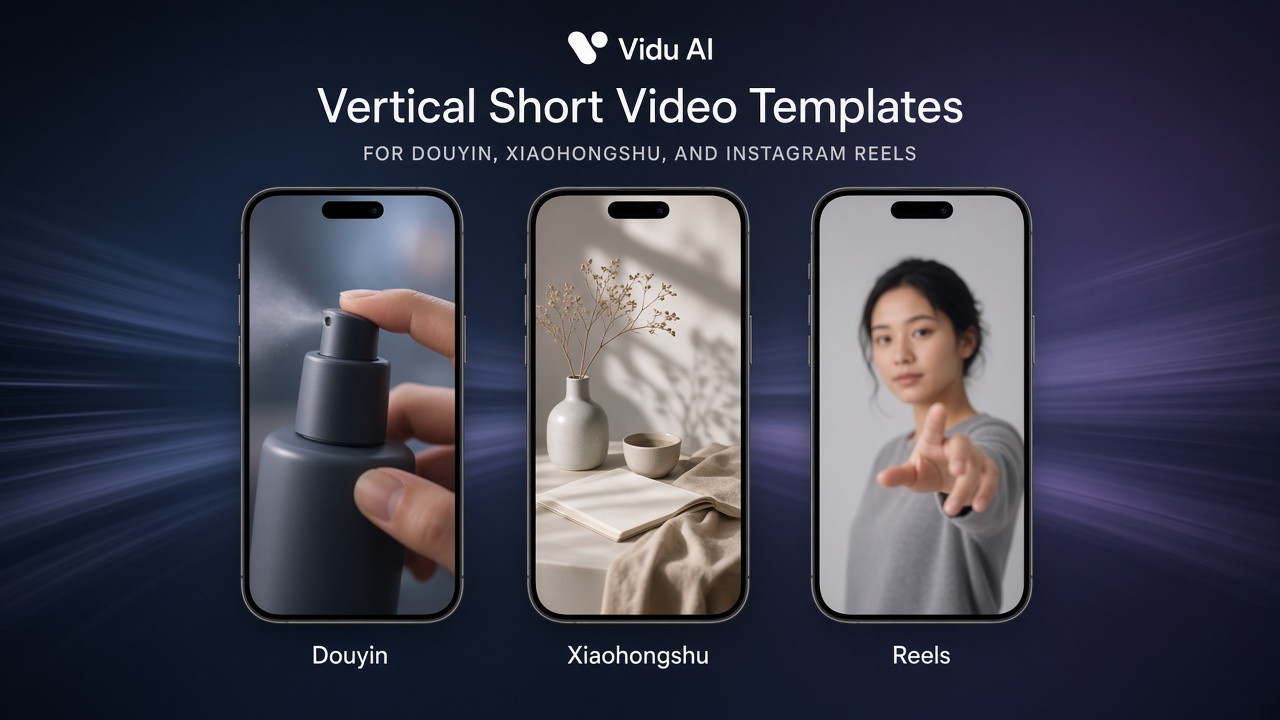
Three-platform differences (useful when writing prompts)
| Platform | What it rewards | Prompt emphasis |
|---|---|---|
| Douyin | Strong action, reverse, fast pacing | Conflict action in first 2s + accelerating camera mid-clip |
| Xiaohongshu | Texture, mood, screenshot-worthy beauty | Material close-ups, soft light, lifestyle scenes |
| Reels | Clear subject + loop-friendly feel | Clean backdrop, start/end poses friendly to looping |
The same Vidu Q3 finished clip can be cropped and redistributed, but write the main prompt for your primary placement platform at generation time—that saves more credits than “generate first, then force a style change.”
02. Vertical safe zones & asset prep (what drives first-pass success)
Aspect & composition
- Prefer 9:16 in the studio (or start from vertically composed assets, then image-to-video).
- Treat roughly the top 10% and bottom 15–20% as danger zones: titles, buttons, and progress bars may cover Logo and faces.
- Place the subject from the upper-middle third into the center, leaving room for later captions—do not expect the model to render tiny explanatory text clearly; add key copy in post for stability.
Vertical assets for image-to-video
- Keep the long edge near 1080P when possible; soft images amplify noise on push-ins.
- Prefer a single subject: busy shelf “battle” frames leave the model unsure who should move.
- Crop product shots toward a near-9:16 “phone preview composition” before upload, so later crops do not slice packaging.
Vertical constraint lines for text-to-video (keep them resident)
State clearly at the prompt head or beside parameters:
vertical 9:16 framing, subject in middle-upper safe zone, leave clean space at bottom for captions, no important text near edges
In Chinese you can also write: “竖屏 9:16,主体在中上安全区,底部留字幕空位,边缘不要放关键文字”.
03. Four-part vertical prompt structure (reusable)
Split a Vidu AI prompt into a fixed four parts—more stable than stacking adjectives:
- Keep / subject: who or which product; appearance that must not change.
- Hook (0–2s): the first visible action or conflict.
- Selling-point motion (mid): rotate, press, open, walk, light shifts.
- Camera + sound + close: shot size, camera speed, SFX type, ending hold.
How to choose duration
| Goal | Suggested duration | Tier reference |
|---|---|---|
| Topic-pool tests | 5–8 seconds | Pro Fast / Turbo |
| Daily seeding | 8–12 seconds | Turbo default; promote hits to Pro |
| Full narrative seeding | Up to 16s native A/V | Pro after prompts converge |
Tier details: Vidu Q3 Pro / Turbo / Pro Fast: How to Choose.
04. Four rewriteable publish templates
Paste these into this site’s studio and replace bracketed content with your product/scene. Keywords naturally cover Vidu short video, Douyin, Xiaohongshu, and Reels scenarios.
Template A: Douyin product hook (image-to-video, strong action)
Vertical 9:16. Keep product appearance and Logo unchanged. 0–2s: extreme close-up, finger quickly presses the pump, liquid micro-spray clearly visible. 2–8s: slow pull-out to 3/4 side, product gently rotates half a turn to show bottle shape, clean light backdrop. Close: product returns to front hold, leave bottom caption space. Light click and subtle liquid SFX, no narration. Suited for Douyin feed seeding.
Template B: Xiaohongshu lifestyle (text- or image-to-video, texture)
Vertical 9:16, soft natural light. Subject is (product/person) in a desktop lifestyle scene, middle-upper safe-zone framing. First 2s: hand enters frame and gently sets the product down. Mid: slow push into material close-up (glass/metal/fabric texture readable), no cluttered shelves. Close: return to half-body or full product, comfortable whitespace for screenshots. Light ambient sound, relaxed pacing, Xiaohongshu cover feel.
Template C: Reels loopable short hook (text-to-video, clean loop)
vertical 9:16, clean backdrop, loop-friendly. Start and end on nearly the same pose. 0–2s bold gesture or reveal; mid section one clear selling motion; end soft settle for seamless loop. Minimal clutter, subject sharp, soft whoosh sound. Optimized for Instagram Reels.
Template D: On-camera seeding (reference- / image-to-video, face first)
Vertical 9:16. Lock facial features and hairstyle from the reference image. 0–2s: smile and nod toward camera as the hook. Mid: show the product in hand with one natural intro gesture, eyes to camera. Close: hold product at chest level; keep chin and above away from the top danger zone. Soft VO mood, simple background. Usable for Douyin and Reels live-person seeding.
When character consistency must be strong, upgrade to the reference-to-video workflow—see Vidu Q3 Reference-to-Video Complete Guide.
05. From generate to publish: platform-side checklist
After outputting with Vidu Q3 on this site, check these before publish:
- Aspect is 9:16; key subject is not in top/bottom danger zones
- First 2 seconds have clear action or conflict—not a slow empty establishing shot
- Packaging / face / Logo not melting, jittering, or tearing
- A/V roughly in sync; if you do not need sound, confirm export strategy and platform music plan
- Caption reserve not filled by the subject; compliance and efficacy copy prepared for post overlay
- When batching daily on Turbo, hit directions already get a separate Pro polish pass
- Douyin / Xiaohongshu / Reels cover frame (first or chosen frame) is recognizable and clickable
Publish copy & tags (brief)
- Douyin: titles stress outcome or reverse; keep 3–5 highly relevant topics.
- Xiaohongshu: titles lean experience and list feel; add cover text in post for clarity.
- Reels: English or bilingual hook line + 1 core keyword; loop-friendly clips help completion.
06. Common failures & credit-saving fixes
- Crop to vertical after generation: subject gets beheaded—lock 9:16 in prompt and aspect first.
- First three seconds too mild: add concrete actions (door push, lid open, splash, eye contact)—do not only write “beautiful scene.”
- Want the model to “write tiny text clearly” full-frame: move to post captions; keep the prompt on motion and materials.
- One prompt trying to please all three platforms: pick a primary platform first, then reuse the same finished clip with cover/copy tweaks for distribution.
- All-Pro hook testing: validate hooks on Pro Fast / Turbo, then step up to Pro after convergence—see the tier guide.
- Ignoring the audio toggle: mute audio for look tests first; enable native A/V on finals so every trial does not pay full freight.
07. Closing: turn Vidu vertical shorts into a repeatable daily system
Douyin / Xiaohongshu / Reels is not a contest of single-spin “gacha luck”—it is whether you have a repeatable Vidu AI vertical production line: safe-zone framing, four-part prompts, platform templates, and a publish checklist. When you can reliably use Vidu Q3 to clear one hook and one selling point in 8–16 seconds, account testing speed clearly beats teams stuck on traditional shoot schedules.
Open this site’s studio now, pick 9:16, paste Template A or B, and run one Turbo pass on the same product image to see if the hook lands; then use Vidu Q3 Pro for a publishable finish, and add Douyin, Xiaohongshu, or Reels titles and covers accordingly.