
Blog · Creation Guides
Make E-commerce Product Videos with Vidu: From Still Packshots to Ad-Ready Shorts
If you are searching for Vidu ecommerce product video, AI product video, or how to make product shorts with Vidu, the blocker is rarely “Can I use AI?”—it is usually: I only have stills; how do I turn them into shorts that can list and run ads reliably?
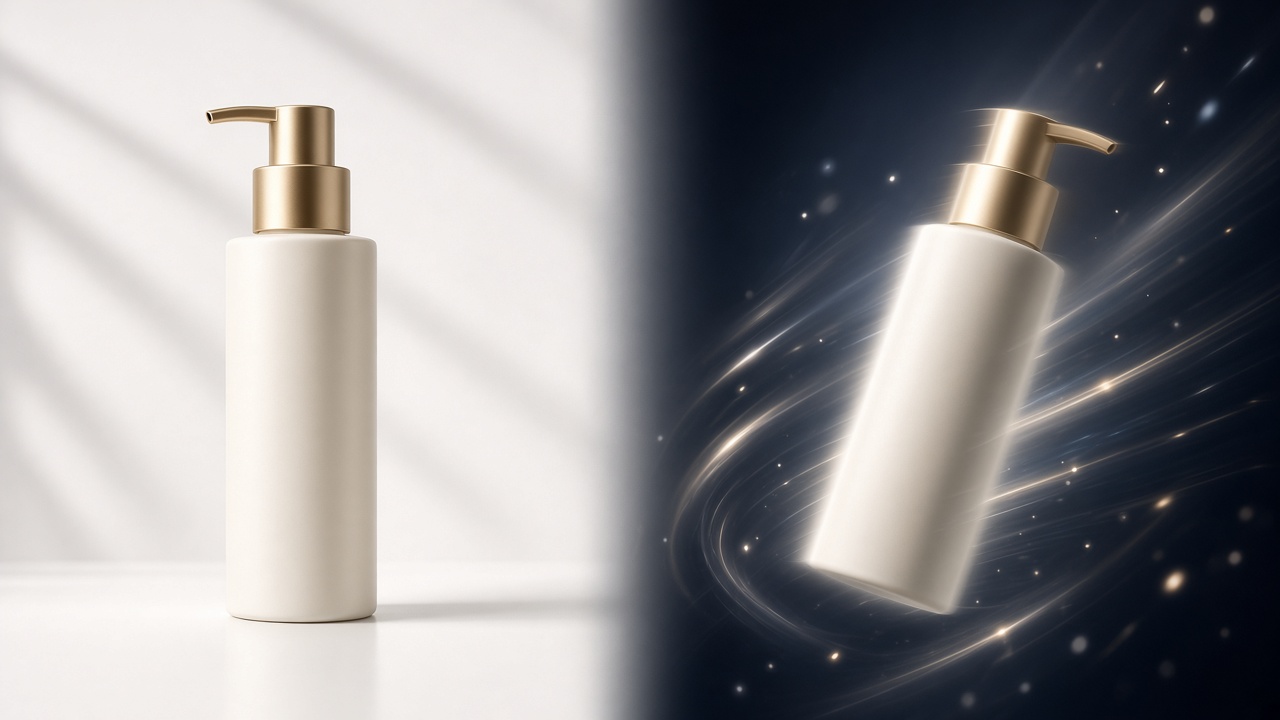
E-commerce teams most often hold white-background main images, renders, front-of-pack photos, and unboxing stills—already design- and compliance-approved. What is missing is “make the right packaging move,” not another frame that may drift off brand. Vidu Q3 image-to-video fits that pipeline: use the still as the visual anchor, invent spin, push-ins, lid opens, indicator lights, and other selling-point motions inside the Vidu AI video generator, and optionally output up to 16 seconds of audio-synced video for main-image video, PDP motion, TikTok / Instagram seeding, and feed creatives.
This article follows a real e-commerce delivery cadence—asset prep → mode selection → prompt structure → four rewriteable templates → QA and aspect-ratio fit—so you can turn stills into ad-ready shorts with Vidu and cut rerolls and rework.
01. Why e-commerce should start with Vidu image-to-video
In e-commerce production, image-to-video often enters the schedule earlier than pure text-to-video: main images and packaging are usually locked. Ops need “loopable motion assets for ads,” not a full redesign of the visual system.
Three real pains for e-commerce teams
- Packaging must not drift: once SKU colorway, bottle silhouette, or Logo placement warps, review and complaint costs dwarf a few extra generates.
- Delivery windows are short: big-promo and daily launches need batch output—no room for long post and complex storyboards.
- Placements are fragmented: the same SKU must feed main-image video, GIF-like PDP motion, vertical seeding, and horizontal feed creatives.
Vidu Q3 image-to-video plus native A/V compresses the path from still → playable short: one qualified product still + a prompt that states what to keep and how selling points move is enough to run in this site’s studio. If you are new to mode differences, start with Vidu AI Video Generator 2026 Complete Guide; for general image-to-video rules see Vidu Q3 Image-to-Video Complete Guide. This article focuses on e-commerce product video delivery standards and templates.
When not to rely on a single still alone
| Need | Better Vidu path |
|---|---|
| Single-SKU spin / detail push / light interaction demo | Image-to-video (this article’s main path) |
| Multi-shot ad film with strict same-pack across shots | Reference-to-video refinement |
| No locked still yet—only mood concept boards | Text-to-video for concepts, then image-to-video to land |
| Strong before/after unboxing contrast | Start–end frames or a two-reference combo workflow |
For brand series and character/pack consistency, continue with Vidu Q3 Reference-to-Video Complete Guide.
02. E-commerce asset checklist before upload (half of your success rate)
Vidu AI is sensitive to input quality. In failed e-commerce cases, a large share is not “the model cannot do products”—it is assets that cannot support motion.
Sharpness, framing, and subject
- Aim for ~1080p on the long edge; compressed soft stills amplify noise into “melt” during spin.
- Keep the subject centered or inside a safe zone with modest margin—edge-cropped packs float after crop.
- Prefer a single hero: shelves, free gifts, and promo stickers fighting for focus confuse what should move.
Background, light, and type
- White / light-gray studio suits main-image video and PDP motion best; dirty plates “eat” bottle necks and edges.
- Key light direction must be clear so materials (metal, glass, matte, leather) read correctly.
- Dense regulated copy and tiny instruction text blur in motion—overlay critical compliance type in post; do not expect the model to “write it clean.”
Recommended still combinations
- Hero packshot: front or 3/4 view with fully readable packaging.
- Detail still (optional): pump, port, fabric texture—for a second close-up pass or a follow-up generate.
- Opened state (optional): lid open or contents revealed, paired with start–end frames for an unboxing arc.
- Target-aspect reference: for vertical seeding, crop a 9:16 safe composition before upload so post-crop does not cut the Logo.
Treat assets as “motion-ready design comps,” not a random PDP collage—Vidu ecommerce product video first-pass success climbs sharply.
03. E-commerce prompts: keep–selling-point motion–camera–sound
In image-to-video, the prompt’s job is not to re-describe “what color this bottle is.” Tell Vidu Q3 which packaging locks must stay, and how selling points unfold across 16 seconds (or less).
Four-part structure (copy-ready)
- Keep: silhouette, colorway, label, Logo placement, material gloss unchanged.
- Selling-point motion: second-level actions—spin reveal, pump push-in, lid open, indicator light, liquid sway.
- Camera: mid → close → mid; slow dolly; shallow-DOF studio look.
- Sound: quiet studio room tone, soft friction, lid click, short brand stinger; keep VO brief so it does not fight the picture.
For general prompt craft, see Vidu Q3 Prompt Writing Complete Guide. In e-commerce, put selling-point actions on a timeline—do not stop at “premium, high-end, tech.”
Common e-commerce prompt failures
- Conflicts with packaging: “change to a gold cap”—appearance must follow the upload.
- Adjectives only, no second-level motion: the model lacks executable instructions.
- Demanding explosions, shatter, or large deformation in one pass: packaging consistency collapses.
- Cramming tiny type and price tags: text becomes unreadable after motion and wastes the motion budget.
04. Four rewriteable templates: main image, unboxing, material, feed
The templates below target Vidu AI video generator image-to-video. Shorten to 8–12 seconds for a placement, or fill Vidu Q3’s 16-second native A/V output.
Template A: White packshot → slow spin (main-image video / PDP)
Best for: headphones, skincare bottles, gadget accessories, drinkware—SKUs that need silhouette and colorway.
Keep the product silhouette, colorway, label, and Logo placement from the reference fully unchanged. 0–5s: slow horizontal spin under clean white studio light to reveal sides and back; 5–11s: push into surface material and key details; 11–16s: return to mid shot, slight float, then hold. Mid → close → mid, shallow DOF. Quiet studio ambience, soft rotation friction, one gentle stinger on the hold.
QA focus: Logo drift, spin jitter, dirty white background.
Template B: Unboxing narrative → anticipation short (seeding / first 3s of feed)
Best for: gift boxes, gadgets, beauty sets; more stable with both “closed” and “opened” stills.
Keep packaging silhouette and brand marks unchanged. 0–4s: closed gift box on a clean desk, slow push-in; 4–10s: lid opens smoothly, liner and product gradually reveal; 10–16s: hold on front product close-up. Gimbal-stable move, soft side light. Soft carton friction and lid open SFX, short pleasant stinger, no long VO.
QA focus: lid clipping/mesh errors, swapped contents, sluggish pacing.
Template C: Material / function close-up → proof of benefit (PDP selling module)
Best for: glass highlights, metal splines, fabric, indicator lights, button feedback.
Keep overall product silhouette and colorway unchanged. 0–5s: slow push from mid to pump / port / indicator close-up; 5–12s: one light press or switch, clear light or state feedback; 12–16s: pull back to mid for the full product. Macro to mid, shallow DOF. Crisp click, soft electronic cue, quiet indoor room tone.
QA focus: melting buttons, erratic light color, packaging warp after close-up.
Template D: Vertical seeding → 15s selling VO skeleton (TikTok / Reels / Shorts)
Best for: vertical ads that need “hook in 3s + mid selling points + close.”
Keep reference product look and labels consistent. 0–3s: product enters fast and holds front; 3–10s: slow spin with a light push, highlight the core selling part; 10–16s: return front, slight float and hold, clean negative space for later captions. Vertical safe zone, subject centered. Upbeat ambience, short brand SFX; keep any VO to one line or add VO in post.
QA focus: subject inside vertical safe zone, over-aggressive motion causing edge smear, room for captions.
For ad-storyboard and multilingual VO workflows, continue with Vidu Agent One-Click Ad Workflow.
05. From generate to go-live: QA checklist, iteration, aspect ratios
Vidu ecommerce product video is not “click once and done”—it is a short loop of generate → checklist → fix asset or prompt → regenerate that saves credits and protects listing quality.
Five-dimension QA (run every clip)
- Packaging consistency: colorway, silhouette, Logo, and decals match the upload.
- Natural motion: no melt, edge tear, jitter, or mesh clipping.
- Selling-point readability: the pump / port / unboxed contents you meant to show are actually seen.
- A/V sync: action peaks align with lid / button SFX; for A/V capability see 16-Second One-Shot Narrative.
- Placement compliance: no false efficacy claims; regulated copy as post overlays.
Iteration priority (save credits)
- Fix the asset first (sharper, larger subject, cleaner background, pre-cropped to aspect).
- Then fix the timeline (less violent motion; clear second-level selling actions).
- If still unstable, move to reference-to-video or start–end frames (Start–End Video Workflow).
Platform aspect quick reference
| Placement | Suggested ratio | Tip |
|---|---|---|
| E-commerce main-image video / PDP | 1:1 or 3:4 | Center subject, clean white |
| TikTok / Instagram / Shorts seeding | 9:16 | Leave room for captions and UI chrome |
| Horizontal feed | 16:9 | Keep key Logo off the edge |
Prep the reference to the target ratio before generate; check safe zones after. To move from “moving assets” toward finished narrative, continue with From Clips to Finished Video.
Closing
Making e-commerce product video with Vidu means taking already-approved still assets through Vidu Q3 image-to-video into ad-ready shorts: lock packaging, write a clear selling-point timeline, use native A/V for presence, and control listing quality with a QA checklist. Once you own this article’s asset list, four-part prompts, and four templates, batching main-image video and seeding creatives in the Vidu AI video generator becomes far more stable.
Suggested path: pick your highest-quality white packshot → run Template A for spin → polish with the five-dimension checklist → expand the library with unboxing / material / vertical templates. For competitive positioning, see Vidu vs Runway vs Kling 2026.
Open this site’s studio now, upload your first product still, and run the full Vidu ecommerce product video path from still to ad-ready short yourself.